

gtwin Bingo: choose your room and follow every call
After logging in, the bingo page shows the available rooms and the details you need to choose where to play: call pace, round pattern, value, and card options. Open a room to check the draw panel and see the numbers as they are called. If you prefer to watch before buying, follow the current round and learn how the pattern works. The page is designed for mobile screens, with the room and card controls within reach while keeping the draw in view.
Tap to PlayEach room has its own setup. Before joining, check the pattern name, the announced pace, and how many cards you plan to use. These details help you compare rounds without relying only on the room title. When you open an option, look for the information displayed on screen and confirm the conditions before selecting a card; details may vary from room to room.
With the official app, you can follow bingo on your phone and access the page using the login already linked to your account, without creating a separate profile for this experience. The screen adapts the panel to your device, but it is worth checking that all the numbers on the card are clearly visible before you start. For responsible play, this experience is for people aged 21 and over; set limits and take breaks.
Beyond the line: patterns that end the round
Not every round ends when someone completes a single line. The room may specify other patterns, such as lines in particular positions, columns, diagonals, or combinations shown on the panel. The valid pattern is the one displayed in that round’s setup, so check it before buying. During the draw, follow your card and compare the marked numbers with the required pattern. If the room shows a visual guide, use it to understand which spaces need to be filled; do not assume one round’s format applies to others.
Leave the room without ending the rest of your session
If you want to switch rooms or simply stop following a round, use the exit control on the screen instead of impulsively closing the entire session. Before leaving, check whether the round is still in progress and whether there is any confirmation or notice about your participation. Leaving the room is not the same as closing your account: you can return to the bingo list and choose another option. If your connection drops, wait for the screen to refresh and check the displayed status before making any decisions.
Relaxed rooms and fast-paced calls
The time between calls changes how you follow a game. In a more relaxed room, you have more time to check each number and find its place on your card; fast calls require continuous attention and may leave less time to switch between screens. Check the pace shown for the room before joining and choose one that suits your availability. Once the draw starts, keep your card open or use the calls panel to follow the sequence. If the pace feels uncomfortable, consider waiting for the next round.
How many cards to choose before the first number is called
Decide how many cards to use before the draw starts, taking into account the displayed price and your ability to follow them all at once. More cards mean more numbers to check with each call; this can make them harder to read, especially in fast rounds. On the room screen, select the number you want and check the total before confirming your purchase. Then make sure the cards appear correctly in the panel. If you're just starting out, choosing fewer cards can help you understand how it works without dividing your attention too much.
FAQ
Can I watch a round before buying a card?
If the room lets you follow the draw without participating, you can open the panel and watch the calls and the round's pattern. Check what the screen itself offers before joining, as options may vary. Watching can help you understand the pace and layout of the information, but it is not the same as buying a card.
How do I know which pattern applies to the room I chose?
Read the pattern description shown in the room before confirming your participation. It tells you which design must be completed in that round. During the draw, refer to it alongside your card; don't use a pattern from another room or a previous game as the rule.
What happens if I open another screen while numbers are being called?
You may lose track of part of the sequence while navigating away from the panel. When you return, check the numbers already called and the current round status before continuing. In fast rooms, staying on the bingo screen makes it easier to follow the calls and check your cards without relying only on memory.
Can I change the number of cards after the draw has started?
This depends on the rules and controls shown for that room. So choose the number of cards and review the price before confirming, and before the first call. If the round is already in progress, check the screen: don't count on being able to add or change cards unless there is an explicit option.
How can I compare two rooms before joining?
Look at the pattern, call pace, card price, and participation information shown for each option. These criteria make it easy to compare without having to open several rounds at once. If anything is unclear, check the room details before confirming.
Where can I get help if I'm charged for a card?
First, check your transaction history and participation status in your account area or mobile cashier. If the information still doesn't match, contact official support through the channel available on the platform and provide the transaction details. Avoid making the purchase again before checking whether the first attempt was completed.
 10 Burning Roll
 10 Shining Roll
 10 Super Roll
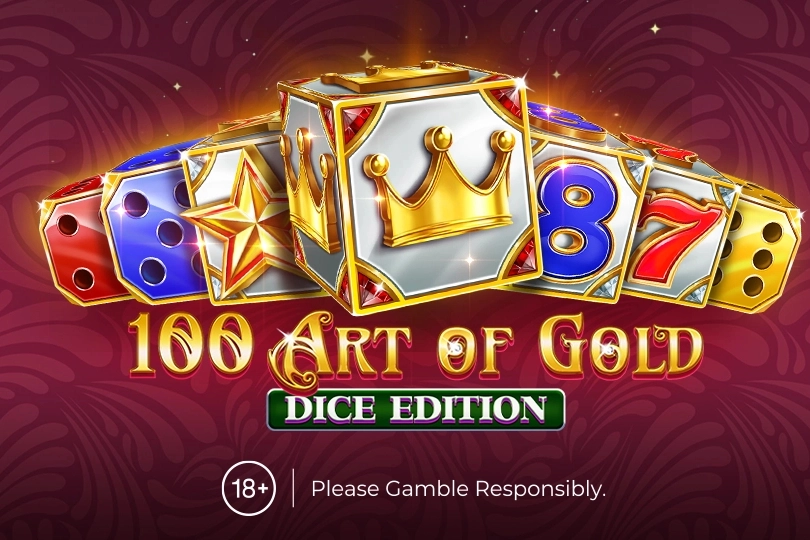 100 Art of Gold Dice Edition
 100 Bit Dice
 100 Bulky Dice
 100 Burning Roll
 100 Dazzling Roll
 100 Dice
 100 Dragons Pull Tabs
 100 Golden Coins Dice Edition
 100 Joker Roll
 100 Leprechaun Roll
 100 Power Hot Dice
 100 Shining Roll
 100 Stunning Dice
 100 Super Dice
 100 Super Roll
 1000 x Rush
 10000 x Rush
 1000x Busta
 10K Dice
 12 Golden Eggs
 1524 Golden Quest
 1Tap Mines
 20 Bulky Dice
 20 Burning Dice
 20 Burning Roll
 20 Dazzling Roll
 20 Golden Dice
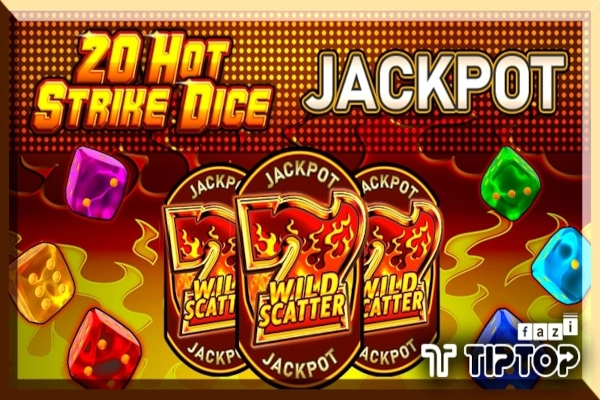 20 Hot Strike Dice Jackpot
 20 Hot Strike Dice
 Game Claim Free Credit Link RM10 from MEGA888 (100)
 Game Claim Free Credit Link RM10 from MEGA888 (101)
 Game Claim Free Credit Link RM10 from MEGA888 (102)
 Game Claim Free Credit Link RM10 from MEGA888 (103)
 Game Claim Free Credit Link RM10 from MEGA888 (104)
 Game Claim Free Credit Link RM10 from MEGA888 (105)
 Game Claim Free Credit Link RM10 from MEGA888 (106)
 Game Claim Free Credit Link RM10 from MEGA888 (107)
 Game Claim Free Credit Link RM10 from MEGA888 (108)
 Game Claim Free Credit Link RM10 from MEGA888 (109)
 Game Claim Free Credit Link RM10 from MEGA888 (110)
 Game Claim Free Credit Link RM10 from MEGA888 (111)
 Game Claim Free Credit Link RM10 from MEGA888 (112)
 Game Claim Free Credit Link RM10 from MEGA888 (113)
 Game Claim Free Credit Link RM10 from MEGA888 (114)
 Game Claim Free Credit Link RM10 from MEGA888 (115)